
Video-Art with Hydra
There are many software packages for video editing, which filter, cut and edit all you like, but they all work on videos that are already dead. The source material sits conserved in a file on your hard drive, frozen in time, while the events that are depicted have long since passed. Can you imagine, editing video live, working with a stream of data that has never been stored? Or even mixing, filtering, and combining several such streams?
Enter: The Hydra
Hydra is a project by software artist Olivia Jack. In a nutshell it builds on video filters that are already built in your web browser. These vide filters are called shaders, and hydra gives you direct control over them using a simple programming language. The result is a website which can pull in files from memory, livestreams and cameras and work with them in various surprising ways.
For example I was able to make a small script that detects change in the video feed from my laptop camera in just five lines of code. You can see the result below this page….
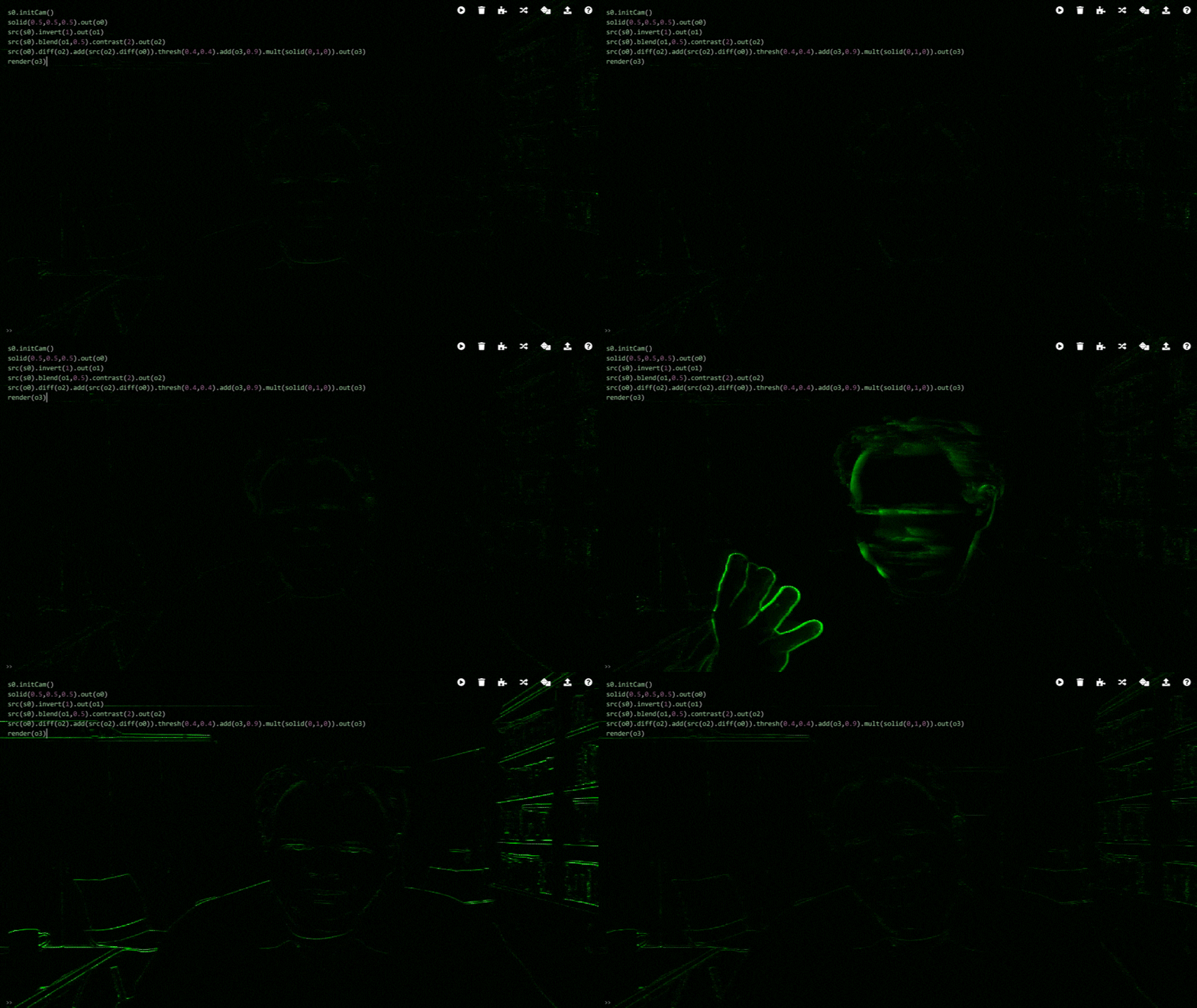
Try it yourself
Want to try this yourself. It’s just one click away:
Hydra Motion Detector
s0.initCam()
solid(0.5,0.5,0.5).out(o0)
src(s0).invert(1).out(o1)
src(s0).blend(o1,0.5).contrast(2).out(o2)
src(o0).diff(o2).add(src(o2).diff(o0)).thresh(0.4,0.4).add(o3,0.9).mult(solid(0,1,0)).out(o3)
render(o3)
How it works …
Let’s take a look at the script that creates the motion detector. It starts with:
s0.initCam()
This tells video source 0 to be a stream that comes from the camera. Next we have
solid(0.5,0.5,05).out(o0)
This creates a neutral grey image (all three color channels are set to 0.5) and stores it as output o0. This output is just a convenient place where we can keep the image.
src(s0).invert(1).out(o1)
This takes source s0, which is the video camera and inverts all pixels, creating a negative image that is stored as output o1.
src(s0).blend(o1,0.5).contrast(2).out(o2)
Now we take the camera source s0 and blend it with the inverted image. The 0.5 means that both sources contribute 50% of the product. Now suppose the camera would be recording a static image, then blending the camera image with it’s own inverse would produce solid grey.
But the inversion takes a little bit of time, so negative image is always a tiny bit older than the current image. So if the camera is recording a moving object the image and the negative do not cancel perfectly anymore and instead. We get a signal that is different from neutral grey wherever there was movement in the image. Now we only need some cosmetic adjustments:
src(o0).diff(o2).add(src(o2).diff(o0)).thresh(0.4,0.4).add(o3,0.9).mult(solid(0,1,0)).out(o3)
At this point the blended image is already stored in o2. We take it and subtract the neutral grey such that a pixel that hasn’t change is now black. Finally the intensity is scaled up, thresholded and we multiply with a pure green image to make everything nice bright green. We add 90 of the result from the previous iteration. This makes the detected differences easier to see by making them linger longer, creating a motion-blur like effect. We save the resulting stream as output o3. Now we only need to tell hydra that that output is what we want to see:
render(o3)